Hey {{first_name|there}}!
Hope you’re doing great and thanks for being part of the community!
It’s been a week full of Apple press releases with new and updated products. I have all the highlights below.
Let’s jump into it!
🆕 Apple had a big week — here’s what you need to know
Apple had a busy week.
In the span of a few days, the company announced a new entry-level Mac, updated the MacBook Air and MacBook Pro lines, refreshed the iPad Air, introduced a new display, and announced the iPhone 17e. It's a lot to take in.
Rather than overwhelm you with every spec, here's what you actually need to know — and who each product is (and isn't) right for.
All of the new products can be pre-ordered now and will be available on March 11th.
MacBook Neo

Image: Apple
Apple introduced an entirely new Mac on Wednesday — the MacBook Neo — filling a gap below the MacBook Air with a $599 starting price. It's Apple's most affordable laptop ever, and there's a lot to like about it, but there are some notable trade-offs worth knowing about.
The good:
At $599 (or $499 for education), it makes the Mac experience genuinely accessible in a way it hasn't been before. For students, families, or first-time Mac buyers, this is a compelling entry point.
It's powered by the A18 Pro, the same chip in the iPhone 16 Pro. Apple claims it's up to 50% faster for web browsing and up to 3x faster for on-device AI work compared to a comparable Windows laptop.
You get a Liquid Retina display, an aluminum enclosure, the Magic Keyboard and Multi-Touch trackpad, up to 16 hours of battery life, and a fanless design.
Four colorful options: silver, blush, citrus, and indigo.

Image: Apple
The trade-offs:
Only two USB-C ports, and they're not equal — the left port is USB 3 and the only one that supports an external display. The right port is USB 2 only. No Thunderbolt, no MagSafe, no SD card slot.
The Neo ships with Wi-Fi 6E instead of Wi-Fi 7, which every other Mac announced this week gets via Apple's new N1 wireless chip. In practical terms, Wi-Fi 7 offers faster speeds and more reliable performance in congested environments like offices or apartment buildings. It's not a dealbreaker for casual use.
The base model starts with just 8GB of unified memory and 256GB of storage. You cannot upgrade to more unified memory, but there is an option for 512GB of storage.
The 256GB model does not include Touch ID; you have to upgrade to the 512GB model to get the Magic Keyboard with Touch ID. There is no backlighting on the keyboards.
It's a 13-inch only option.
The MacBook Neo is a smart choice for someone who wants a Mac for casual use without paying MacBook Air prices. But if you're already considering an Air, there’s a new model, so let’s continue.
MacBook Air M5

Image: Apple
The MacBook Air has been the right Mac for most people for a few years running, and the M5 update doesn't change that.
Available in 13-inch and 15-inch models in Sky Blue, Starlight, Silver, and Midnight.
Powered by the M5 chip with Neural Accelerators in every GPU core, which Apple says will make AI tasks noticeably faster.
Base storage doubles to 512GB (up from 256GB)
Apple's new N1 wireless chip brings Wi-Fi 7 and Bluetooth 6 for faster, more reliable connectivity.
The 13-inch starts at $1,099, or $999 for education ($100 more than the previous generation)
The price went up $100, but the doubled base storage eases the pain. If you’ve been eyeing a MacBook Air, this is the one to get.
MacBook Pro with M5 Pro and M5 Max

Image: Apple
The MacBook Pro is for people who push their machines hard — video editors, developers, musicians, photographers, and users running AI models locally on the laptop. If that's you, the M5 Pro and M5 Max are meaningful steps forward. If it's not, the MacBook Air will serve you better and cost you significantly less.
Available in 14-inch and 16-inch models in Silver and Space Black.
Built on a new Fusion Architecture that combines two dies into a single chip, Apple claims this is the foundation for the big performance and AI gains in this generation.
Apple's N1 wireless chip with Wi-Fi 7 and Bluetooth 6.
Base storage gets a meaningful bump — M5 Pro models start at 1TB, and M5 Max models start at 2TB.
Pricing: 14-inch M5 Pro starts at $2,199 | 14-inch M5 Max starts at $3,599 | 16-inch M5 Pro starts at $2,699 | 16-inch M5 Max starts at $3,899.
These ain't cheap. If you're on an M1 or M2 Pro, the upgrade is compelling. If you're already on M3, it's worth waiting to see what the next generation brings. Speculation is there’s a new design and a touch screen on the way.
Studio Display XDR and Studio Display

Image: Apple
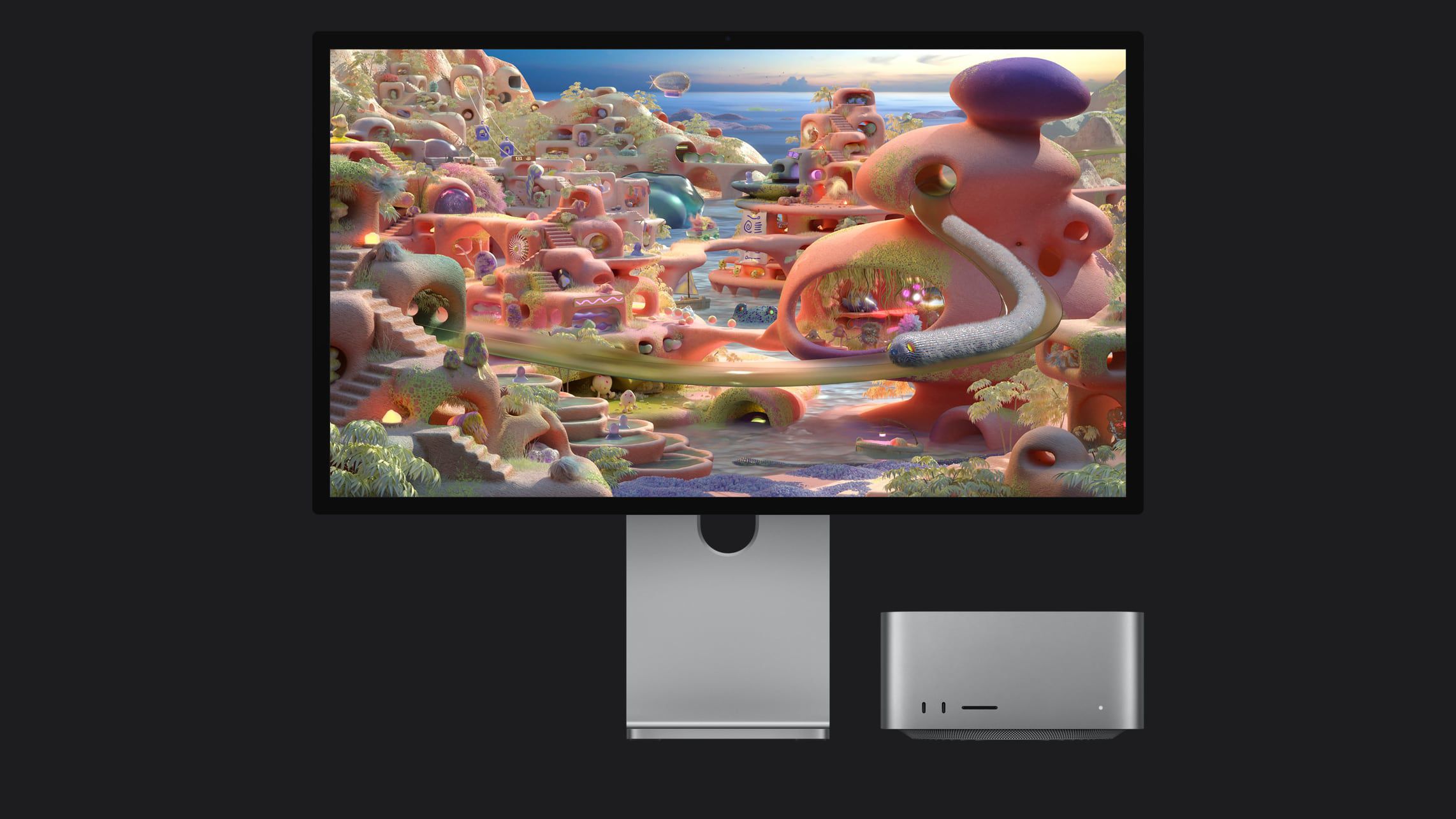
Apple released a new higher-end Studio Display and updated the previous model a bit.
The 27" Studio Display XDR is a new, higher-end display with a 120Hz refresh rate, mini-LED backlighting, increased brightness, and faster passthrough charging (up to 140W). It has two Thunderbolt 5 ports and two USB-C ports. This model replaces the discontinued Pro Display XDR and starts at $3,299.
The lower-end Studio Display is still available. It now has two Thunderbolt 5 ports, an upgraded Center Stage camera with DeskView, and improved sound (I have the previous model, which sounds great). Starts at $1,599.
An important note on compatibility. The new Studio Display XDR and Studio Display won't work with Intel Macs, and only certain Apple silicon-based Macs can take advantage of the 120Hz refresh rate on the XDR model. The iPad Pro M5 is the only iPad that can take advantage of the 120Hz refresh rate.
There are certainly other quality displays available in the market that are more affordable. That said, I've absolutely loved using my Studio Display over the last 15 months. If you’re on the fence, check one out at an Apple Store, or take advantage of Apple’s no-fuss return policy and try one at home.
iPad Air M4

Image: Apple
The iPad Air has long been the sweet spot in Apple's iPad lineup, being more capable than the base iPad, without the Pro's premium price tag. The M4 update keeps it there.
Available in 11-inch and 13-inch models in Blue, Starlight, Purple, and Space Gray.
Upgraded to the M4 chip with 12GB of unified memory — a 50% jump over the previous generation's 8GB — which means smoother multitasking and better performance for AI features.
Apple's new N1 wireless chip with Wi-Fi 7 and Bluetooth 6
Storage options remain the same as before: 128GB, 256GB, 512GB, and 1TB.
In the US, the 11-inch starts at $599 and the 13-inch starts at $799 — same prices as the previous generation.
If you're using an iPad Air from M1 or earlier, this may be a worthwhile upgrade. If you're on an M2 or M3 Air, there's not enough here to justify the cost.
iPhone 17e

Image: Apple
The iPhone 17e is the successor to the iPhone 16e, and it's a genuinely impressive update at a price point that hasn't changed.
Available in Black, White, and Soft Pink.
Powered by the A19 chip — the same chip in the iPhone 17 lineup, which is a big deal at this price point.
Includes MagSafe, Apple's magnetic wireless charging system. With it, the charger snaps to the back of the phone and charges at up to 15W, and it opens the door to a wide ecosystem of MagSafe-compatible cases, wallets, battery packs, and car mounts.
Base storage doubles to 256GB but keeps same $599 starting price as before, so you're getting twice the space for the same money.
If you've been holding onto an older iPhone and don't want to spend over $800, this is the one to look at. The A19 chip and MagSafe alone make it a much more complete iPhone than its predecessor. The only question worth asking yourself is whether the features missing from the iPhone 17 and 17 Pro models such as the advanced camera system, ProMotion display etc., matter to you.
Closing thoughts
If you want a good Mac for the least money, the MacBook Neo is genuinely compelling — just go in with your eyes open about its limitations. If you want the best all-around laptop Apple makes, the MacBook Air M5 is the answer. Power users who need maximum performance should look at the MacBook Pro. And if you've been on the fence about an iPad, the Air M4 is the most capable version of Apple's best mid-range tablet yet.
One last thing worth noting: if you're a student or work in education, Apple's Education Store offers meaningful discounts across nearly all of these products. It's worth checking before you buy.
🎙️ On the Latest Basic AF

Listen to and follow the show in Apple Podcasts, Spotify, all the other podcast apps, as well as on YouTube and YouTube Music.
📣 News to Know About
Here’s a quick rundown of noteworthy things that I’ve hand-selected just for you: